Single melody
A clear single melody converted into an editable MIDI track.
Source
18s mono WAV
0:00 / 0:18
MIDI
1 track · 18 notes
PureMIDI helps producers, musicians, and learners detect pitch and timing from audio, then export editable MIDI drafts for any DAW.
What does this audio contain?
Choose the option that best matches what you hear.
Choose a supported file, then convert it to an editable MIDI draft.
Choose the audio type above first
Free preview with a free account: up to 25.0 MB. Full conversion: up to 25.0 MB.
Choose what you want to convert
Formats: MP3 / WAV / M4A / FLAC / OGG / WEBM / AAC. Max 25.0 MB.
Start with audio here, or choose video, sheet music, and authorized YouTube workflows below.
Real output samples
PureMIDI made these demo clips. The MIDI is the converter’s result, with no manual edits.
A clear single melody converted into an editable MIDI track.
Source
18s mono WAV
MIDI
1 track · 18 notes
An arranged mix converted into an editable multitrack draft.
Source
29s stereo WAV
MIDI
6 tracks · 375 notes
One workspace
01 · Audio to MIDI
Upload a melody or a full song, listen to a free preview, and get a standard .mid with detected pitch, timing, and velocity.

02 · Sheet music to MIDI
Upload a PDF score. PureMIDI recognizes the notation, re-engraves a draft you can check against the original, and exports MIDI or MusicXML.
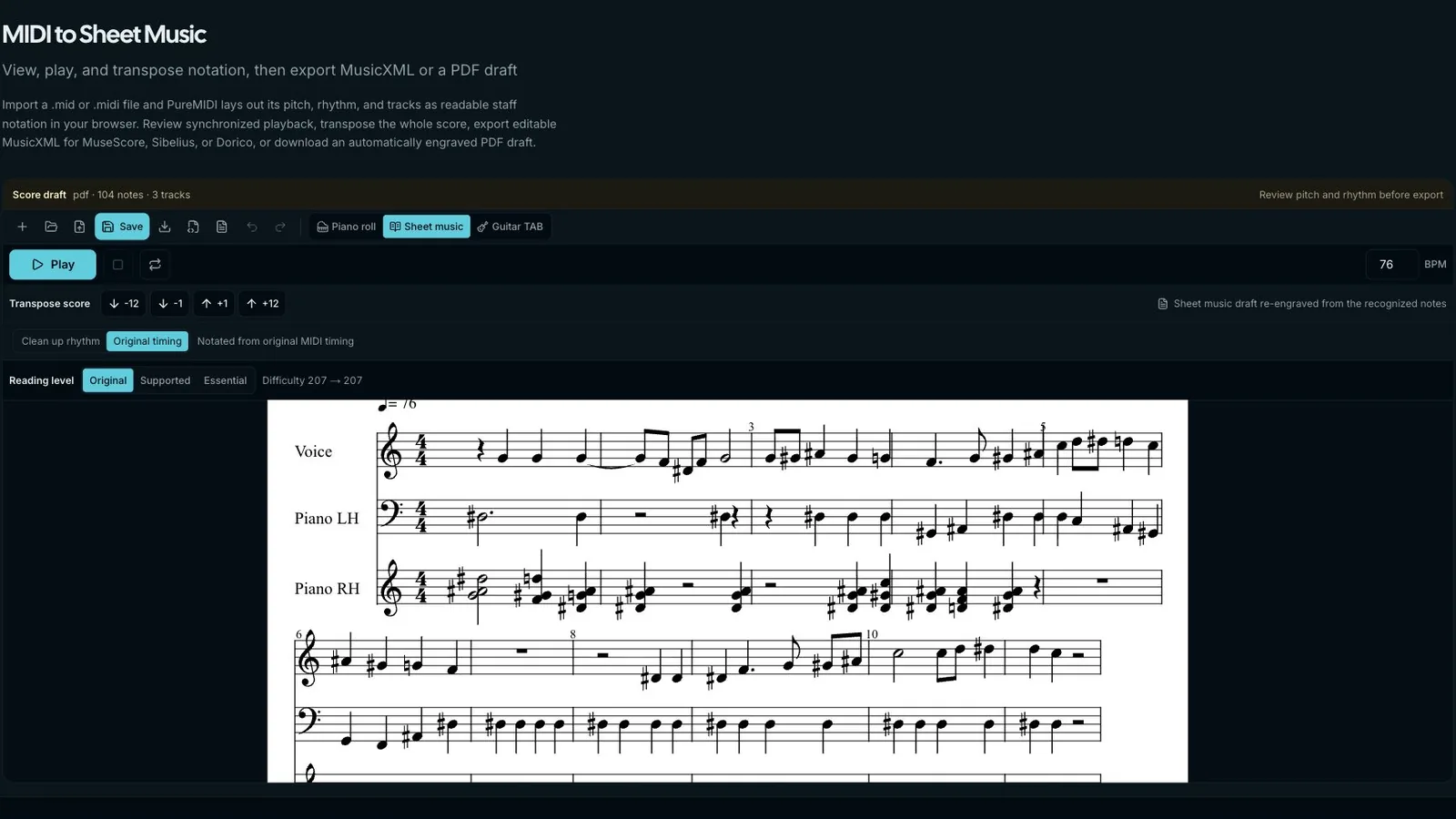
03 · MIDI editor
Open the result in the piano roll, move or redraw notes, quantize when you want to, and export a clean file without installing anything.
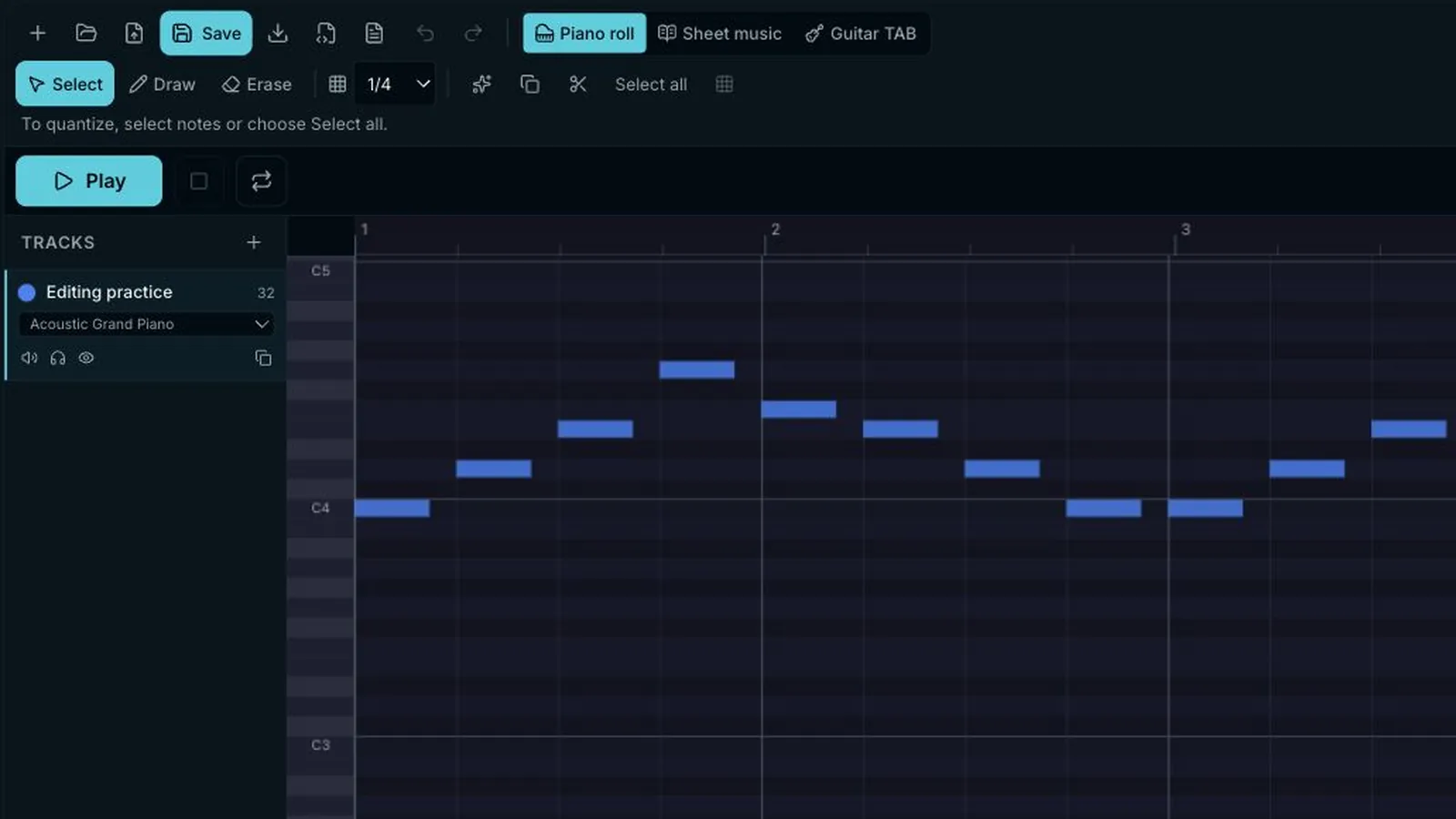
Format pages lead to the matching workspace, while editors and guides stay clearly separated.
Start with the file or source you already have.
Convert common audio formats into editable MIDI for any DAW.
Convert MP3 hooks, riffs, and recordings into MIDI for transcription or remixing.
Turn lossless WAV recordings into editable MIDI with AI transcription.
Upload MP4, MOV, WebM, or M4V and convert its audio track into MIDI.
Convert MusicXML, MXL, and photographed or scanned score images into editable MIDI.
Convert sheet-music PDFs into editable MIDI with AI score recognition.
Preview a link, confirm rights, then upload audio you are authorized to use.
Convert Guitar Pro tablature files into standard multi-track MIDI locally in your browser.
Guidance for the recording or production setup you use.
Turn solo piano recordings into polyphonic, editable MIDI with accurate timing.
Transcribe electric, acoustic, and DI guitar recordings into editable MIDI.
Compare Ableton's native conversion with a browser-based audio-to-MIDI workflow.
Compare Flex Pitch with a browser-based workflow, then drag MIDI back into Logic.
Compare NewTone with melody and complete-song transcription, then edit in Piano roll.
Use ReaTune for monophonic pitch events or bring an uploaded MIDI draft back into REAPER.
Convert a Suno WAV stem or full-song export into editable MIDI, then compare it with Suno's Get MIDI.
Turn a drum stem or loop into a MIDI drum track with kick, snare, and cymbal notes.
Continue working with the MIDI after conversion.
Free browser tools that lead back to editable MIDI.
Planned workflows are labeled before you open them.
A simple workflow for getting from source audio or sheet music to a usable MIDI file.
No credit card required • Free 30-second preview
Add an MP3, WAV, M4A, or sheet music PDF for conversion.
Choose one melody or a full song and review the credits first, then upload your audio.
The system estimates pitch, timing, and structure, then prepares an editable MIDI file.
Import the .mid file into your DAW or notation software and refine it manually.
Simple, transparent pricing
30 credits · $4.99 · one-melody full result costs 1 credit; full-song conversion costs 6-15 credits by length
30 credits included
If all credits go to one type
Only successful conversions use credits · Non-refundable except where required by law · Terms §6
100 credits included
If all credits go to one type
Only successful conversions use credits · Non-refundable except where required by law · Terms §6
300 credits included
If all credits go to one type
Only successful conversions use credits · Non-refundable except where required by law · Terms §6
Based on 1, 4, or 6–15 credits per conversion; PDF scores up to 4 pages cost 4 credits, longer PDFs add 1 credit per page.
Standard .mid output · Purchased credits remain valid long term
If a conversion can't be completed, no credits are used. Successful results, including score drafts that may need manual correction, use credits.
Paid charges are non-refundable except where required by law. Terms, section 6
Card and available wallets charge in USD. Sign in and choose a method to see the final amount.
MIDI is the universal language of digital music: instead of waveforms, it stores which notes were played, when, and how loudly. PureMIDI's live audio converter turns recordings into editable MIDI drafts by detecting pitch and timing; sheet music PDFs, MusicXML, and score images now also convert directly via AI score recognition (Beta).
Audio conversion handles MP3, WAV, M4A, FLAC, OGG, WEBM, AAC, and AIFF by normalizing supported formats before transcription. Score recognition (Beta) handles MusicXML and MXL directly, and uses an AI vision model for PDF, PNG, JPG, and WebP score images. Output is a standard .mid file that opens in Logic Pro, Ableton Live, FL Studio, Cubase, Reaper, GarageBand, Studio One, Pro Tools, MuseScore, Sibelius, Dorico, and any other major DAW or notation tool.
You start from the browser with no plug-ins, installs, or DAW required. Conversion runs on PureMIDI's servers. Eligible audio uploads get a controlled preview of up to 30 seconds with a free account; video and score conversion require sign-in. Complete conversions use one-time credit packs. We never use your audio or scores to train models. Successful-conversion source uploads are deleted within 3 days; failed sources may be retained for up to 14 days for recovery and support.
The site is organized as a suite of focused tool pages so each search intent has its own home: audio to MIDI for supported recordings, video to MIDI for local MP4/MOV/WebM uploads, MP3 to MIDI for lossy song exports, WAV to MIDI for lossless recordings or clean stems, and separate pages for YouTube preview, PDF, sheet music, editing, and prompt-based generation workflows. Pick the entry point that matches what you have in hand.
Works best with clear solo parts, vocal lines, and isolated stems, then gives you a DAW-ready MIDI draft for cleanup, sound design, and arrangement.
Convert assigned scores to MIDI for ear-training playback, slow-play studies in any DAW, and turn student recordings into MIDI for grading.
Clear rights confirmation for YouTube workflows, local-file conversion boundaries, transparent retention policy, and no model training on your files.
Everything you need to know about PureMIDI
Still have questions? Contact us atsupport@puremidi.com
Use the first PureMIDI tools for hooks, practice tracks, remix sketches, and quick arrangement drafts.