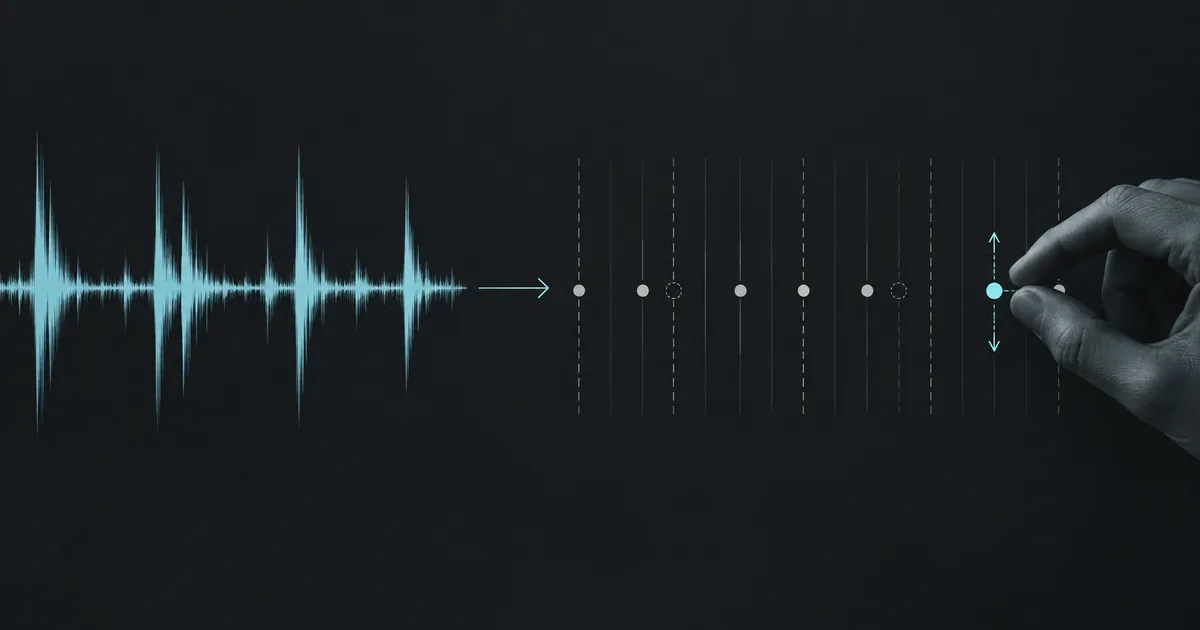
Drum Stem to MIDI: What Works Without Kit Mapping
A pitch-focused transcription may turn drum hits into ordinary pitched notes. It does not identify kick, snare or hi-hat for you. Start with transient-based DAW tools, isolated hits or a short manual pattern, then check every kit assignment against the audio.
Why drum stems break most audio-to-MIDI converters
Single-melody conversion and other pitch-focused audio-to-MIDI engines detect pitched notes. They listen for fundamental frequencies and harmonic structure, then write each detected note as a MIDI event with pitch + start time + end time + velocity.
Drums break this model because:
- Drums aren't pitched in the same way melodic instruments are. A snare hit is a burst of broadband noise plus a brief tonal "ping." A kick is mostly low-frequency thump. The engine looks for a clean fundamental — and finds noise.
- The engine has no concept of "kit pieces." It doesn't know that this transient = kick, that one = snare, that closed-hat noise = hi-hat. It just hears some pitch and records it. That pitch usually lands in the piano range, which is why your snare ends up as an A3.
- General Midi (GM) drums use specific note numbers — kick is MIDI note 36, snare is 38, closed hi-hat is 42, etc. Without classification logic, the engine can't map detected hits to the GM drum standard, which means the output won't trigger drum samplers correctly.
This is why a "smart" workflow needs kit-aware drum transcription — separate technology from melodic pitch detection.
Three workarounds that actually work today
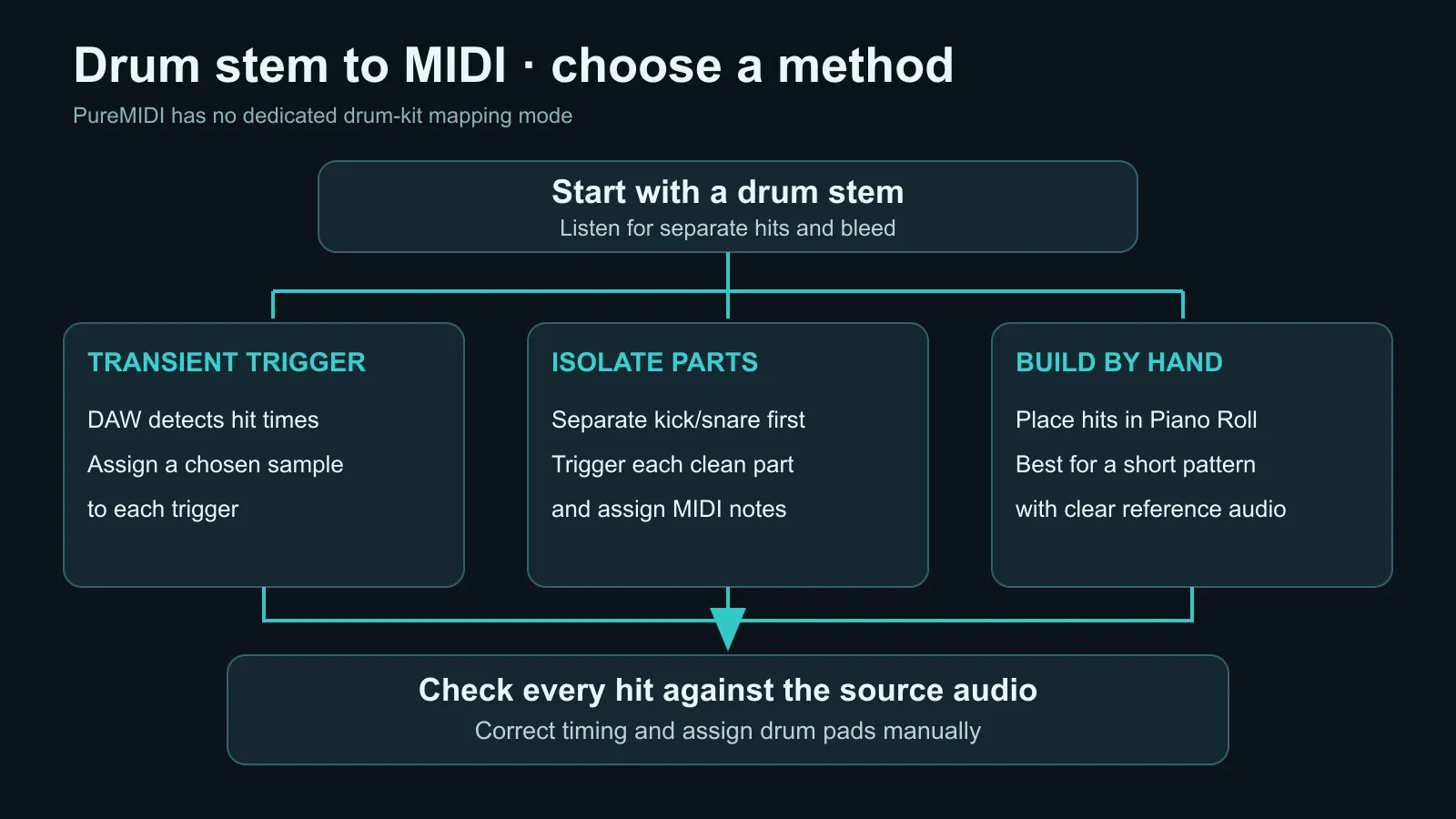
Workaround A: Slice and trigger in your DAW (most automatic)
Modern DAWs include drum-replacement tools that don't try to "transcribe" — they just detect transients and trigger MIDI hits. Examples:
- Logic Pro: Drag your drum stem onto a track, right-click →
Convert→Convert to Sampler Track…or use the built-in Drum Replace feature in newer versions. - Ableton Live: Right-click an audio clip →
Convert Drums to New MIDI Track. Live tries to map kick/snare/hat hits to MIDI notes. - Cubase: Drum Replace + Hitpoints workflow.
- Reaper: ReaTune / ReaSlice with manual transient marking.
- Studio One: Audio Bend / Sampler track conversion.
What works: Single-source clean drum stems (the kick channel alone, the snare channel alone). DAW-native tools handle these very well.
What doesn't: A full mixed drum bus where kick/snare/hat all overlap. The DAW gets confused about which transient belongs to which kit piece.
Workaround B: Stem-separate the drums first, then trigger
If you only have a full drum bus, a kit-part separator may isolate kick, snare or hats before triggering. Check separated audio carefully: bleed and artifacts can create extra or missing hits.
After separation, run each isolated track through Workaround A above. Per-channel transient detection is far more reliable than trying to identify multiple hits in a mixed drum bus.
Common splitter approaches:
- Open-source models like
htdemucscan isolate the drum bus from a full song mix. - Some commercial tools further split drums into kit pieces.
- For many users, isolating just the drum bus from a song mix is already a big win — paired with their DAW's Drum Replace, that's often enough.
Workaround C: Manual MIDI rebuild with reference
If accuracy matters more than speed, the manual approach beats any current automatic transcription:
- Drop the drum stem on an audio track in your DAW for reference.
- Open a drum sampler (Logic Drummer, EZdrummer, Superior Drummer, Ableton Drum Rack).
- Listen to the drum stem and play the pattern back into MIDI — either with a MIDI controller or by clicking into the piano roll.
- Quantize and tweak velocity by ear.
For complex jazz drum solos or odd-meter rock fills, this is the only way to get production-grade MIDI today. Plan on 5-15 minutes per 4-bar pattern. Tedious, but the result is usable in any session.
What PureMIDI supports today
PureMIDI does not currently have a dedicated kit-aware drum mode. Full-song conversion may include a draft drum track when you upload a full mix, but the result is not guaranteed to map each hit to standard General MIDI kick, snare, hi-hat, and tom notes.
Use that draft for arrangement reference, then remap and clean it in your DAW. For a production-ready drum part today, the workarounds above remain the reliable paths:
- Use your DAW's Drum Replace or transient-to-MIDI feature for clean stems.
- Separate a mixed drum bus before triggering individual kit pieces.
- Rebuild complex patterns manually when accuracy matters most.
Input tips for cleaner drum transcription
These tips apply to any drum-to-MIDI workflow, including DAW trigger tools and PureMIDI's full-song draft output:
- Use isolated stems when possible. A single kick channel is easier than a mixed drum bus, which is easier than a full song.
- Avoid heavy compression and reverb on the source. Crushed transients are harder to detect.
- Cymbals are the hardest. Crash, ride, and washy cymbals often get misclassified. Plan to clean those up manually.
- Slow tempos are easier than fast tempos. Drum'n'bass at 175 BPM is much harder than a 95 BPM hip-hop beat.
- Acoustic kits are usually easier than heavily processed electronic kits. Real drums have more characteristic transients.
What about Suno's drum stems specifically?
If you're trying to convert Suno's drums.wav stem to MIDI, do not use single-melody conversion: it can turn drum hits into pitched piano notes. Use Workaround A (drag the Suno drum stem into your DAW and use Drum Replace). Full-song conversion is intended for a full mix and may return a draft drum track, but it is not a substitute for kit-aware mapping.
For the rest of a Suno song (vocals, bass, other), our Suno to MIDI workflow already works today.
FAQ
Why don't AI music tools just include drum transcription?
It's a different model. Pitch detection and percussion classification are separate problems requiring separate training data. Most general-purpose audio-to-MIDI tools focus on pitched material first because it's a bigger market — drum-specific tools are usually built as second products.
Can I just use a drum trigger plugin for live performance?
Yes. For live drum-to-MIDI conversion, hardware solutions like Roland TM-2 or software like Toontrack EZmix's drum trigger work in real time. They're a different category from offline transcription.
How accurate is PureMIDI for drums today?
PureMIDI does not currently offer a dedicated drum-mapping mode. A full-song conversion may include a draft drum track; check each hit against the audio, remove false triggers, and assign kit pads in your DAW.
Does PureMIDI output General MIDI drum mapping?
Not reliably today. Full-song conversion may include drum events, but you should remap them before using EZdrummer, Superior Drummer, Logic Drummer, Ableton Drum Rack, FL Studio FPC, or another GM-compatible sampler.
How do I share demand for dedicated drum mapping?
Email us at support@puremidi.com with the subject line "Drum mode waitlist". We use those requests to evaluate demand and will contact the list if a dedicated mode is released.
While you wait — convert other tracks today
PureMIDI does not offer a dedicated drum-mapping mode. The full-song route can produce a draft drum track that needs cleanup and pad remapping.
Open Audio to MIDI →