One-note melody
A solo vocal or instrument line belongs in Convert Melody. Slides and breath sounds may still require note edits.
Choose the Live command that matches the clip, then check the new MIDI track.
Live 12 Standard and Suite offer native audio-to-MIDI commands for a selected clip. Melody is for one pitched line, Harmony for polyphonic material, and Drums for unpitched percussion. Ableton's edition chart marks Intro as unavailable. If your Lite installation does not show these commands, an external transcription is another route.
What does this audio contain?
Choose the option that best matches what you hear.
Choose a supported file, then convert it to an editable MIDI draft.
Choose the audio type above first
Free preview: up to 25.0 MB. Full conversion after sign-in: up to 25.0 MB.
Choose what you want to convert
Formats: MP3 / WAV / M4A / FLAC / OGG / WEBM / AAC. Max 25.0 MB.
In Arrangement or Session View, select the clip you want to analyze. A solo part or isolated drum break gives you a clearer source than a mixed song.
Open Create or the clip context menu. Choose Convert Melody to New MIDI Track for a single pitched line, Convert Harmony to New MIDI Track for chords, or Convert Drums to New MIDI Track for percussion. These are Live 12 Standard/Suite commands.
Live creates a new MIDI track. Compare its notes with the source audio, especially attacks and note endings. Adjust transient markers in the audio clip and repeat the conversion if boundaries are wrong.
For Lite/Intro or a second opinion, export an authorized audio region, choose the appropriate PureMIDI route, inspect its preview, and import the resulting .mid to an empty MIDI track. The output is a draft to edit.
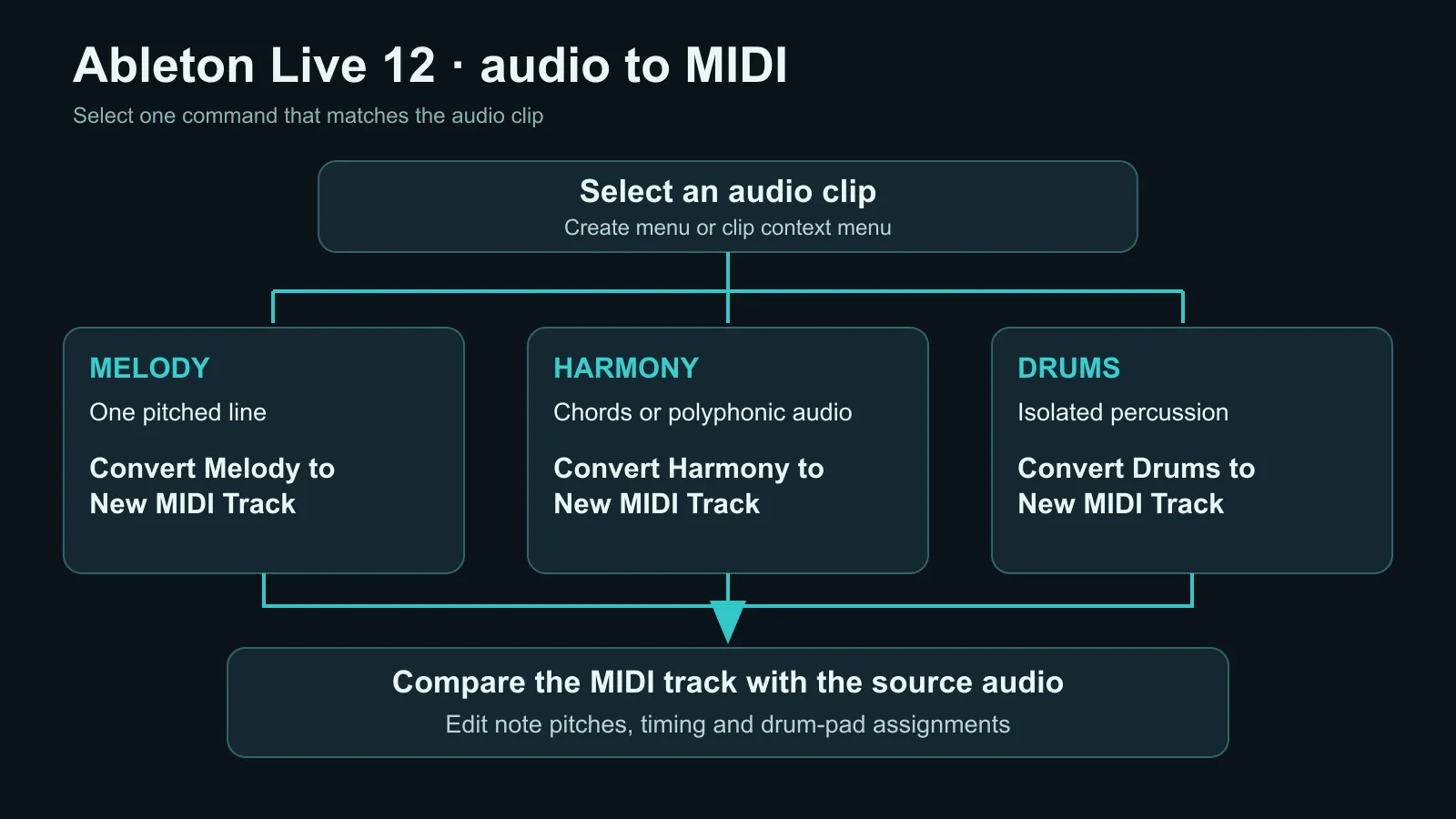
A solo vocal or instrument line belongs in Convert Melody. Slides and breath sounds may still require note edits.
Use Convert Harmony for a polyphonic part. Listen for extra or omitted chord tones before arranging.
Convert Drums attempts a Drum Rack rhythm and kit-part mapping. Check every pad assignment; slicing audio is a different operation.
Ableton's edition chart excludes Intro from Audio to MIDI. For Lite, check the commands in your installation; an imported MIDI draft remains an option.
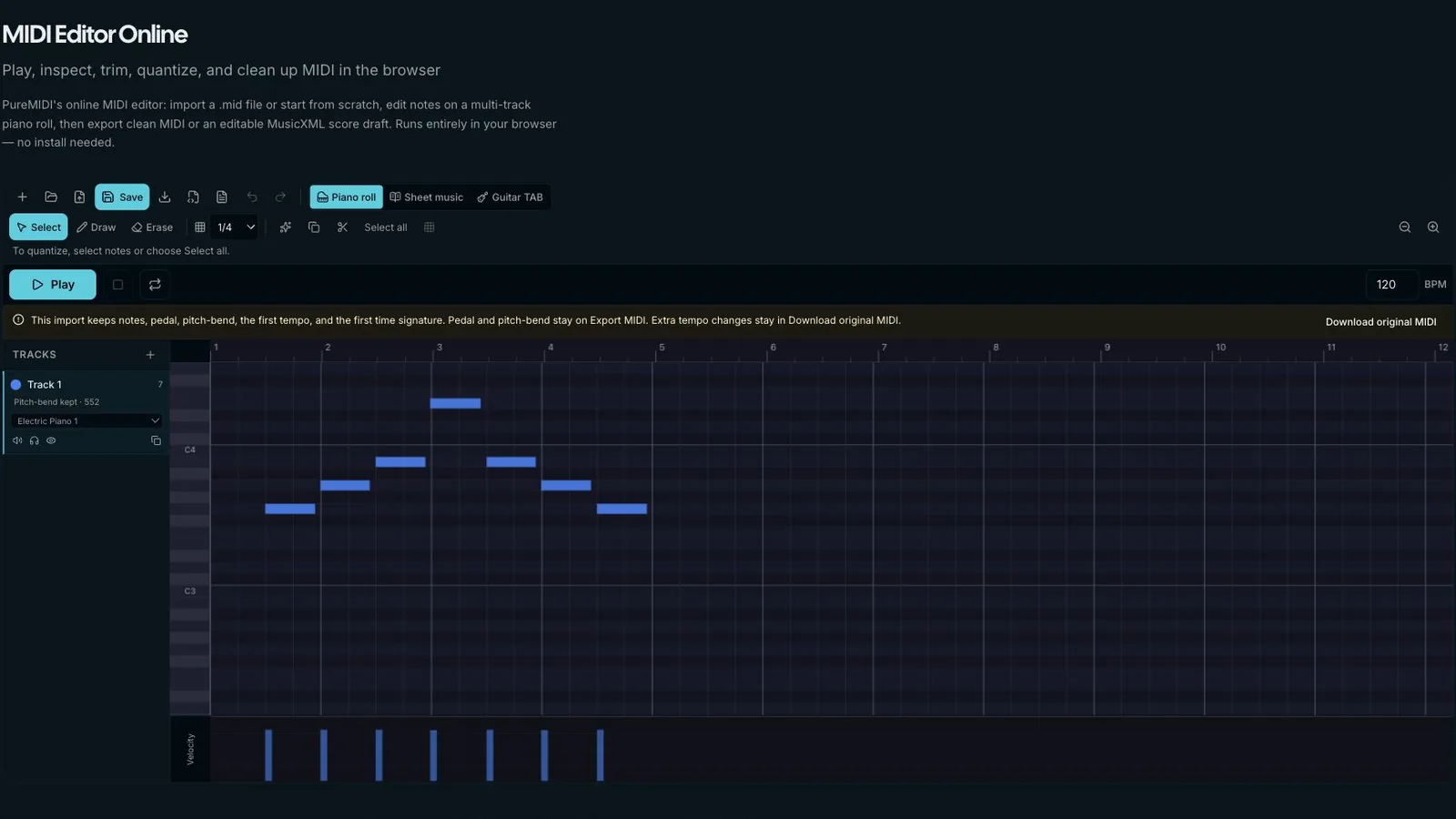
An external result can be useful for comparison or for an edition without native conversion.
Keep the original clip. Export only the part you are entitled to process, choose a melody or full-song route based on the material, and compare both MIDI drafts at the same tempo. Import the version you prefer into Live and correct its timing and pitches.
Choose the conversion path that matches your source. These pages separate general audio, compressed MP3, YouTube/YT workflows, and local MP4/video files so each search intent has one clear owner.
Best default for WAV, M4A, FLAC, recordings, stems, and authorized audio exported from video.
Use the MP3-specific page when your source is compressed MP3 and you need bitrate or retry guidance.
Preview a link, confirm rights, then upload audio you own or are licensed to use for MIDI conversion.
Upload a local MP4, MOV, WebM, or M4V and convert its audio track directly to MIDI.
Select an audio clip and open Create or its context menu in Live 12 Standard or Suite.
No. Slice separates audio into playable segments and triggers them with MIDI; it does not transcribe the segment pitches.
Yes. You can bring an external .mid into a MIDI track. Check your Lite installation for the native conversion commands before choosing an external route.
Compare note attacks and endings with the original clip, then adjust incorrect pitches or pad assignments.